
Most redesigns go wrong when the team designs attractive pages first and tries to pour words in later. That creates vague layouts, thin service page copy, weak SEO (search engine optimization — how Google understands your site), and unclear paths for visitors who are ready to contact you. For related context, see our guide to how much does local SEO cost.
Use website content planning before design starts.
- Define what the site must do: get leads, grow services, build trust, or improve local visibility.
- Map your services, locations, and audiences before sitemap planning.
- Plan the right pages: home, service, location, about, case studies, and contact.
Think of content like the blueprint. Design can make the site look good, but content decides what each page says, who it helps, how it ranks, and what action someone takes next. For related context, see our guide to what’s included in small business SEO.
Content Should Come Before Design
Content decisions shape the layout, not the other way around. SEO needs clear topics, page titles, headings, and answers before a designer can build useful sections. If you design around placeholder text, you'll usually get vague blocks like “Our Services” and “Why Choose Us.” Those blocks don't tell Google what you do, where you do it, or why a visitor should contact you.
Conversion means the action you want, such as a call, form submission, or quote request. If the page doesn't know its job, the design can't guide people toward that action. For related context, see our guide to why your website isn’t turning traffic.
Use this planning frame before wireframes, which are basic page sketches.
- Home: who you help, what you offer, where you work, next step.
- Service: one problem, one service, proof, call to action.
- Location: local relevance, services offered there, trust signals.
- About: credibility, team, values, reassurance.
- Case studies: problem, solution, result.
- Contact: options, expectations, low-friction form.
Start With Business Goals
Start by choosing what the redesigned site must do for the business. A goal like “look more modern” won’t tell you what pages to write. A goal like “get more quote requests for emergency plumbing” will.
- Write down your top 1–3 business goals.
- Pick the audience tied to each goal.
- Decide the action you want from that person.
- List the pages that must support that action.
| Goal | Content decision | Page impact |
|---|---|---|
| More leads | Explain services clearly | Stronger service pages and contact paths |
| Grow one service | Give it its own focus | Dedicated SEO-focused service page |
| Improve local visibility | Prove local relevance | Unique location pages, not copied text |
| Build trust | Show proof | Case studies, reviews, team details |
This can change the design fast. If homeowners and commercial buyers both matter, your homepage wireframe may need separate sections for each instead of one vague “welcome” block.
Map Services, Locations, and Audiences
Before you draw the sitemap, which is simply the list of pages your site needs, make three plain-language lists.
- List your services. Write every service customers can buy. Then mark the ones that need their own page because people search for them separately or need detailed explanation. For example, a plumber may not need one broad “Services” page only. “Water heater repair,” “drain cleaning,” and “emergency plumbing” may each deserve an SEO-focused page.
- List your locations. Write the towns, cities, or regions you truly serve. If you create location pages, plan unique details for each one: local projects, service notes, reviews, team coverage, or frequently asked questions. Don’t copy the same page and swap the city name.
- List your audiences. Separate groups with different needs, such as homeowners, property managers, and commercial buyers.
Now match them up: which services matter most to which audiences in which locations? That map tells you what pages are useful, not just what pages look nice.
Decide What Pages You Need
Turn your map into a working page list before anyone designs layouts. If you design first, you may miss the pages Google needs to understand your services, and visitors won’t get a clear path to contact you.
Before you finalize the list, audit the content you already have. Export current URLs from your CMS, sitemap, analytics platform, or SEO tool. Then mark pages that bring traffic, leads, backlinks, rankings, or useful sales conversations. Those pages should not disappear during a redesign without a clear plan.
Use a simple content inventory:
| Current URL | Evidence | Decision | New URL | Notes |
|---|---|---|---|---|
| /emergency-plumbing | Leads and local traffic | Keep/update | /emergency-plumbing | Preserve topic, improve proof and CTA |
| /blog/water-heater-tips | Backlinks | Merge | /water-heater-repair | Move useful FAQs and redirect |
| /old-coupon | No traffic or current offer | Remove | None or closest relevant page | Redirect only if there is a useful match |
Decision rule: keep pages that perform, update pages with useful intent but weak copy, merge overlapping pages that compete with each other, and remove pages that are outdated, thin, or no longer relevant. When a URL changes, map the old address to the closest new page so visitors and search engines land in the right place.
Then build the redesigned page list around business goals and existing performance.
- Home page: Explain who you help, what you do, where you work, and what action visitors should take next.
- Service pages: Decide whether one broad services page is enough or whether each core service needs its own page. If people search for “kitchen remodeling” and “bathroom remodeling” separately, separate pages may make sense.
- Location pages: Create them only for real service areas. Plan unique local details for each page.
- About page: Build trust with your story, team, credentials, and values.
- Case studies: Show real projects, problems solved, results, and photos if available.
- Contact page: Make the next step obvious with forms, phone numbers, service areas, and expectations.
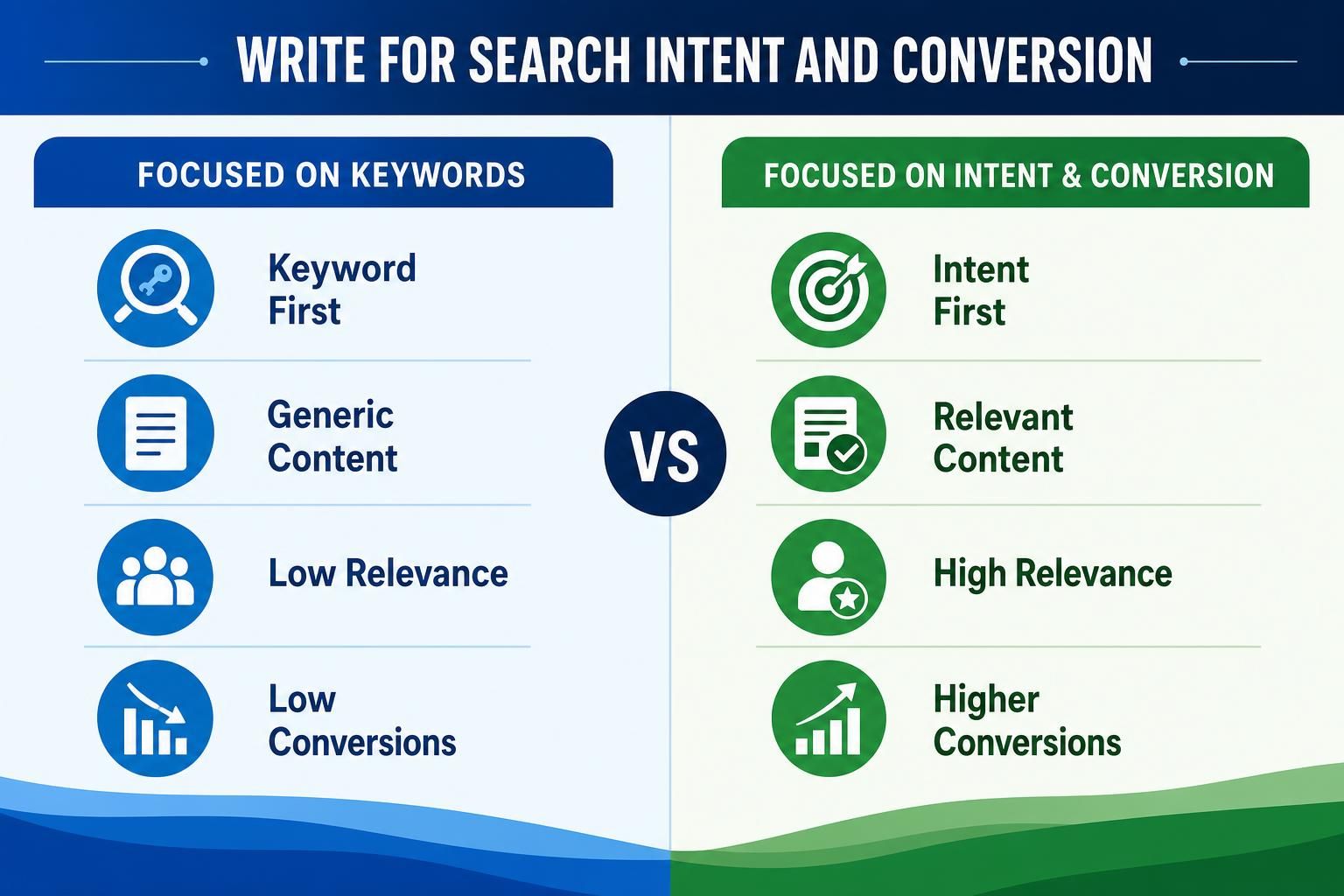
Write for Search Intent and Conversion
Search intent means the reason someone typed a query into Google. For each important page, write a short content brief before design starts:
- Choose the primary search term and page purpose.
- List the visitor’s questions. For a service page, they might ask: What do you do? Who is it for? What does it cost? What happens next?
- Match the call to action. Don’t use “Learn more” everywhere. Use specific actions like “Request a kitchen remodeling quote” or “Book a consultation.”
- Add proof points. Use reviews, certifications, project photos, case studies, before-and-after examples, or results.
Designing without this content leads to vague sections, thin copy, and weak SEO. Good website content planning gives the designer real material to structure around.
Plan Internal Links
Internal links are links from one page on your site to another. Think of them like signposts in a store: they help visitors and Google understand where to go next.
Plan these before design because links often need space in the layout: related service blocks, “areas we serve” sections, case study cards, and contact prompts.
- Link from the homepage to your most important service, location, case study, and contact pages. Don’t hide your money pages three clicks deep.
- Link service pages to related proof. If your “Bathroom Remodeling” page mentions custom tile work, link to a bathroom project example or case study.
- Link location pages to relevant services. A “Roofing in Tampa” page should point to roof repair, roof replacement, and the contact page.
- Link supporting pages back to core pages. A blog post about “signs you need a new roof” should link to your roof replacement service page.
- Use clear link text. “View kitchen remodeling projects” is better than “click here.”
Prepare Launch and Tracking

Before launch, check that your new content plan won’t break what already works. A redesign can hurt SEO if old page addresses disappear and no one tells Google where the replacement pages live.
Use a small launch owner map:
| Old URL | New URL | Redirect/status | Owner | Test result |
|---|---|---|---|---|
| /services | /plumbing-services | 301 redirect | Developer | Pass |
| /water-heaters | /water-heater-repair | 301 redirect | SEO lead | Pass |
Timing: SEO lead owns URL mapping before build freeze; developer implements redirects before launch; marketing/content lead checks page copy, CTAs, and form notifications during final QA.
- Make a redirect list. A redirect sends visitors and search engines from an old URL to the new one. Match every removed or renamed page to the closest new page, not just the homepage.
- Set up analytics. Analytics shows what people do on your site. Track key actions such as contact form submissions, phone clicks, quote requests, and service page visits.
- Test every form. Submit each form yourself. Check that the message arrives, the thank-you page works, and the right person gets notified.
- Review content after launch. After a few weeks, look for pages with low traffic, weak inquiries, or confusing user paths. Then improve headings, calls to action, proof points, and internal links based on real behavior.
FAQ
Should I Write All Website Copy Before Design Starts?
You don't need polished final copy for every page, but you do need the page purpose, key messages, target search terms, proof points, calls to action, and rough section order. Without that, designers build around placeholder text, which often creates weak SEO structure and unclear conversion paths.
How Do I Know if a Service Needs Its Own Page?
Give a service its own page when customers search for it separately or it has different questions, pricing factors, examples, or sales objections. A plumber may need separate drain cleaning and boiler repair pages because each visitor wants different answers before contacting the company.
What Pages Should My Content Plan Include?
Start with a simple framework: home page for positioning, service pages for offers, location pages for local relevance, about page for trust, case studies for proof, and contact page for action. Each page should have one job, one main audience, and a clear next step.
Conclusion
Website content planning gives your redesign clear decisions before design begins: what you sell, who each page serves, what people are searching for, and what action they should take next. Design without content is like building shelves before knowing what they need to hold; the result may look neat, but it won't support SEO, messaging, or conversion.
Before wireframes are approved, make your page list, inventory current URLs, preserve high-performing content, map redirects, draft key page sections, plan internal links, and set up launch checks such as tracking. Your next step is simple: outline your home, service, location, about, case study, and contact pages before anyone starts designing layouts.