
A blog post like “How to Tell If Your AC Is Broken” might pull steady traffic, but many readers are still diagnosing the problem. A service page targeting “AC repair in Tampa” reaches someone much closer to booking, calling, or requesting a quote. That’s the difference: service page SEO is built around commercial intent, not just visits.
Blogs still matter. They answer early-stage questions, build topical relevance, and create smart internal links to your lead generation pages. But for local SEO, your service pages are usually the pages that turn visibility into revenue because they match a specific service, location, problem, and next step.
Quick Summary
- Service pages are lead generation pages for specific services, locations, and ready-to-act search intent.
- Blog posts support service pages; they shouldn’t replace them as your main local SEO conversion assets.
- Strong service pages need a clear offer, local proof, service details, FAQs, trust signals, and direct CTAs.
- Local service pages and location service pages must include unique local context, not copied city-swap content.
- Internal links from relevant blogs should point to service pages with descriptive anchors like “emergency plumbing repair in Denver.”
- The goal isn’t more traffic alone; it’s better-qualified visitors who are closer to becoming customers.
The Role of Service Pages
A service page is built to turn a specific need into a lead: “water heater repair in Austin,” “commercial roof replacement,” “tax preparation for small businesses.” The searcher isn’t just learning; they’re comparing providers, checking fit, and deciding who to contact.
That’s why service page SEO sits closer to revenue than most blog content. A blog post might answer “why is my water heater leaking?” and attract readers at different stages. The service page targets the person who already knows they need repair and wants a quote, appointment, or call.
Your service pages should map to real offers, not vague categories. Build one page around one core service, then add location relevance where it genuinely applies: service area details, local proof, project examples, reviews, licensing, response times, and clear next steps.
Why Blog Traffic Does Not Always Become Leads
Traffic is not the same as demand. A blog post answering “why is my furnace making a banging noise?” may attract homeowners, renters, DIYers, and people outside your service area. Some will become buyers later, but many are still researching. A service page for “emergency furnace repair in Denver” is closer to revenue because the searcher has a defined problem, location, and next step: call, book, or request a quote.
| Page type | Typical intent | Revenue proximity | Best next link |
|---|---|---|---|
| Troubleshooting blog | Diagnose a problem | Early-stage | Relevant repair service page |
| Cost guide | Compare options | Mid-stage | Quote or pricing service page |
| Service page | Hire a provider | High-intent | Contact, booking, related services |
So what does this mean in practice? Don’t judge content only by sessions. Check whether the page attracts local users, earns assisted conversions, and moves visitors toward a service page. Add contextual links inside blog copy, not just in a sidebar: “If the noise started after a cold snap, schedule furnace repair in Denver.” That link gives readers a practical next step and helps search engines understand which page should rank for the buyer-ready query.
What a Strong Service Page Includes
A strong service page matches a buyer-ready query with enough proof and detail to make the next step feel obvious. For service page SEO, that means the page can’t just say “we offer plumbing” and drop a phone number. It needs to answer: “Can you solve this specific problem, in my area, and are you trustworthy?”
- Service details: Explain what’s included, common situations you handle, timelines, and any limits.
- Local relevance: Mention the service area naturally, with neighborhood references, local regulations, or common local issues where useful.
- Trust signals: Add reviews, licenses, certifications, before-and-after photos, warranties, or recognizable client types.
- Direct CTA: Use “Request a quote,” “Book an inspection,” or “Call for same-day service,” not vague “Learn more” buttons.
- FAQs: Answer objections that block leads, like pricing, availability, permits, or preparation.
- Internal links: Link to related services, relevant location pages, and helpful blog posts that support the decision.
How Service Pages Support Local SEO
local service pages give Google and customers a clean match for “service + place” searches, which usually carry stronger commercial intent than a blog query like “why is my drain slow.” The searcher isn’t browsing; they’re checking who can solve the problem nearby.
Build pages around one real offer in one target market, not a city-name swap. For example, a “sewer line repair in Naperville” page should include the repair process, neighborhoods served, local soil or tree-root issues, permits if relevant, reviews from nearby customers, and a direct quote or inspection CTA.
To support local rankings without creating thin pages:
- Start with priority services that actually generate revenue.
- Focus on pages that add specific, verifiable local value.
- Link from relevant blogs using descriptive anchors, like “professional sewer line repair in Naperville,” not “click here.”
- Connect related service and location pages so users can move from research to booking without hunting.
How Blogs Support Service Pages
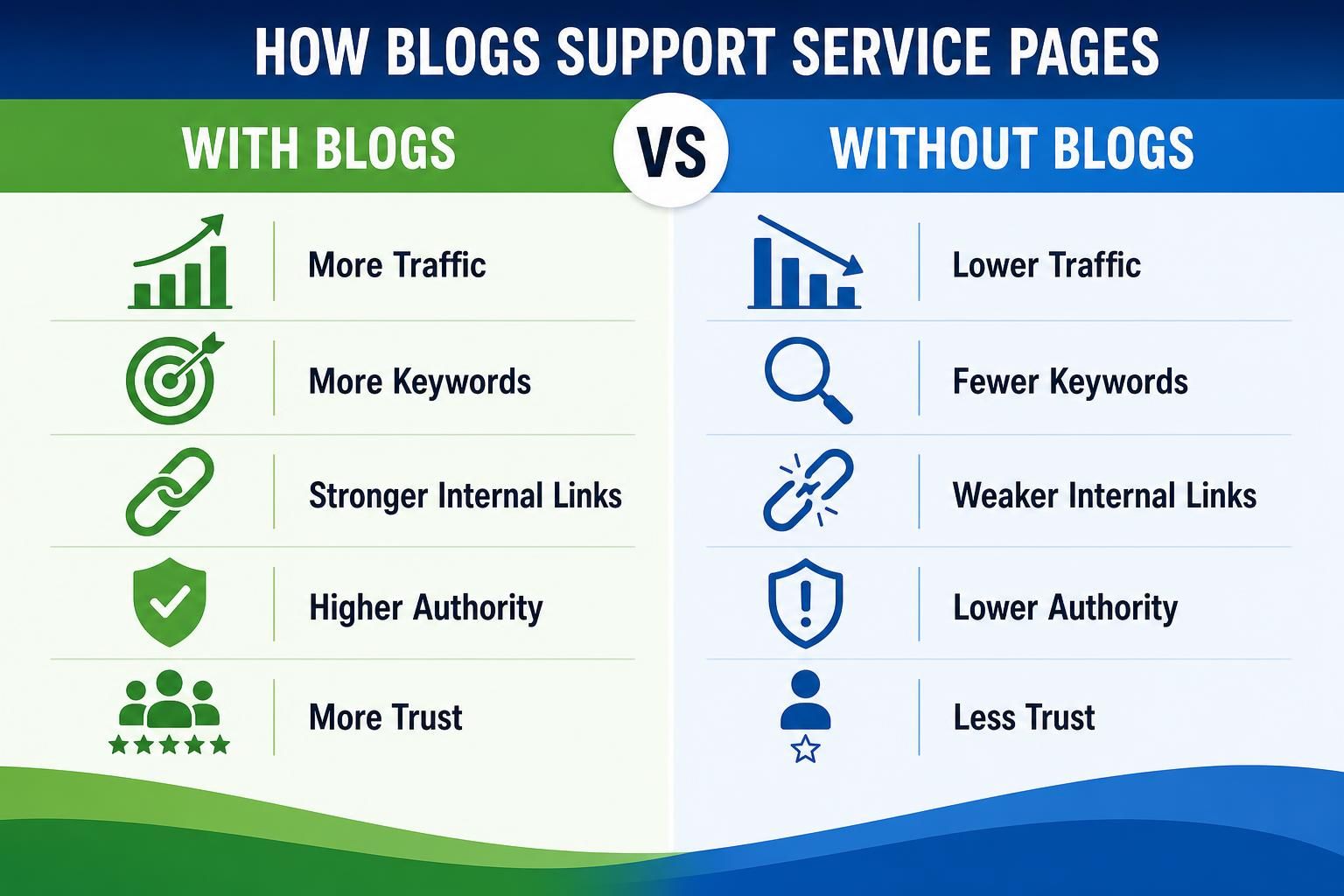
Blogs work best when they answer the questions people ask before they’re ready to hire, then point them toward the page built for the job. They’re not useless; they’re just usually farther from revenue than a service page because the searcher’s intent is still informational.
Use blog content to support service page SEO like this:
- Identify questions that lead into a paid service. For example, “Why does my drain keep backing up?” can support a sewer line repair page.
- Add one contextual internal link to the matching service page using natural anchor text, such as “professional sewer line repair in Naperville.”
- Link to related service pages only when they genuinely help the reader compare options.
- Update older blog posts that get traffic but don’t send visitors anywhere useful.
So what does this mean in practice? Your blog builds topical relevance and captures early-stage searches, while your service page handles the commercial-intent searcher who’s closer to booking.
Internal Linking Structure
Build your links around revenue proximity: in your web development setup, the pages most likely to turn a searcher into a quote request should be the easiest for both users and Google to find. That usually means priority service pages sit one click from the main navigation, not buried behind three blog categories.
Use this structure:
- Add primary services to your main navigation or a clear “Services” dropdown. Don’t hide “emergency plumbing repair” under a vague “Solutions” label.
- Link from parent service pages to specific child services. For example, “HVAC services” can point to “AC repair,” “furnace installation,” and “heat pump maintenance.”
- Connect location pages to relevant service pages with natural copy, such as “We also provide drain cleaning in Plano.”
- Add contextual links from blogs to the matching service page when the reader’s next step could be hiring help.
- Use FAQ answers to link to deeper service pages only when the answer naturally raises that need.
Avoid orphan pages. If a service page matters commercially, it needs internal links from navigation, related services, blogs, and location pages.
Common Mistakes

Most service page SEO problems come from treating conversion pages like generic content assets instead of revenue pages built for commercial intent.
- Chasing blog traffic first. A post that ranks for “why is my sink gurgling” can help, but the “emergency plumber in Phoenix” page is closer to the quote request. Build and improve that page before publishing ten supporting posts.
- Creating thin city pages. Don’t swap “Dallas” for “Plano” across identical pages. Add local proof: neighborhoods served, job types, photos, reviews, permits, response times, and service constraints that actually differ.
- Writing vague service copy. “We offer quality HVAC services” doesn’t help a ready buyer. State the exact service, who it’s for, what’s included, and what happens after they call.
- Hiding the next step. Use clear CTAs near the top, after key proof, and near FAQs.
- Orphaning lead pages. Link from navigation, related services, location pages, and relevant blogs using descriptive anchors like “water heater repair in Austin,” not “click here.”
FAQ
Should I Stop Publishing Blog Posts and Focus Only on Service Pages?
No. Blogs still help you capture early-stage questions, build topical relevance, and support internal linking. The difference is purpose: a blog usually educates, while a service page converts. Use blogs to answer questions, then link readers to the relevant service page when they’re closer to hiring.
How Many Service Pages Does a Local Business Need?
Create one page for each core service people actively search for and you can genuinely deliver. If “emergency plumber,” “water heater repair,” and “drain cleaning” are separate buying needs, they deserve separate pages. Don’t create thin variations unless the offer, proof, FAQs, and local context are meaningfully different.
What Should I Link to From Blog Posts?
Link to the service page that solves the problem discussed in the post. For example, a blog about “why your AC is blowing warm air” should link to your AC repair page using descriptive anchor text like “AC repair in Tampa.” That link gives readers a next step and helps Google understand page relationships.
Why Do Service Pages Often Drive Better Local Leads Than Blogs?
Service pages match commercial intent more directly. Someone searching “roof leak repair near me” is much closer to requesting a quote than someone reading “common signs of roof damage.” That’s why service page SEO matters: it connects specific services, local relevance, proof, and CTAs on the page most likely to generate revenue.
Conclusion
Service pages and blogs shouldn’t compete for attention. Use service pages for buyer-ready searches, local lead generation, and clear conversion paths. Use blogs to answer earlier questions, build authority, and guide readers toward the service page that matches their problem.
If you’re deciding where to focus first, start closest to revenue. Review your most important service pages for clear offers, local proof, FAQs, CTAs, and internal links from related blogs, navigation, location pages, and supporting services. Then improve the pages that map directly to your highest-value leads.