
Google Ads for small business usually feels costly when you’re paying for clicks but can’t see which ones become real calls, forms, appointments, or sales. Before you raise your Google Ads budget, treat the account like a leaky pipe: find where money escapes first.
Start with three checks:
- Confirm conversion tracking records real leads.
- Match keywords to buyers asking for quotes, estimates, consultations, or appointments.
- Send each ad to a clear landing page, not a homepage that makes people hunt.
Why Google Ads Often Feels Expensive
Google Ads feels expensive when you're buying attention instead of buying chances to win real customers. Each click costs money, but the click itself doesn't pay you back. A booked appointment, quote request, phone call, or sale does.
The problem usually isn't one single setting. It's the whole path after someone searches.
A small plumbing company might pay for clicks from people searching “how to fix a leaking tap” when it really needs “emergency plumber near me” or “plumber quote today.” A local clinic might get clicks from towns it doesn't serve because the location targeting is too wide. Or your ad might send people to your homepage, where they have to hunt for the right service, phone number, or form.
So what does this mean in practice? Before raising your budget, check whether the campaign is attracting buyers, sending them to the right page, and proving which clicks become leads. If those pieces are weak, more spend usually just makes the leak bigger.
Fix Tracking Before Scaling Spend
Conversion tracking should be fixed before you add budget because it tells you which clicks become real leads. A conversion is a useful action, like a phone call, contact form, booked appointment, quote request, or purchase. Without that, Google Ads can show “success” while your sales pipeline stays quiet.
| Tracking situation | What it means | Budget decision |
|---|---|---|
| Clicks, no lead tracking | You’re guessing | Don’t scale yet |
| Forms tracked, calls missing | Data is incomplete | Fix call tracking first |
| Leads tracked by campaign | You can compare results | Reallocate carefully |
| Leads tracked by keyword and ad | You can optimize properly | Consider scaling winners |
- Open Google Ads and check Conversions under Goals.
- Add tracking for forms, calls from ads, calls from the website, and booking buttons.
- Test each action yourself. Submit a form and call from a mobile phone.
- Connect Google Ads to Google Analytics 4 if you use it, so website behavior isn’t invisible.
If you’re getting form submissions but don’t know which keyword, ad, or campaign produced them, pause any budget increase. Fix the measurement first.
Match Keywords to Commercial Intent
Commercial intent means the searcher is likely ready to take action, not just learn. Think of it like the difference between someone reading about roof leaks and someone searching “emergency roof repair estimate near me.”
If your campaign is paying for research keywords, you’ll get clicks from curious people. That can drain a small budget fast. For Google Ads for small business, you usually want searches tied to estimates, quotes, appointments, consultations, pricing, repairs, installation, or “near me.”
- Review the search terms your ads have actually triggered.
- Flag vague keywords like “how to,” “ideas,” “tips,” “best way to,” or “DIY.”
- Keep buyer-focused keywords such as “book plumber,” “dentist appointment,” “HVAC repair quote,” or “family lawyer consultation.”
- Group similar services into separate ad groups, so the ad matches the search.
- Move budget away from keywords with many clicks but few qualified leads.
Don’t judge a keyword by clicks alone. Ask, “Would this search likely come from someone ready to contact my business?”
A dedicated landing page is a single page built for one ad group, one service, and one next step. Think of it like sending a customer to the exact aisle in a store instead of dropping them at the front door.
If someone clicks an ad for “emergency AC repair,” don’t send them to your homepage where they have to find the AC page, check your service area, hunt for the phone number, then figure out how to request help. That extra work kills leads you already paid for.
Build the page around the searcher’s problem:
- Match the page headline to the service in the ad.
- Show the service area clearly.
- Put the phone number and form near the top.
- Add trust signals like reviews, licenses, warranties, or years in business.
- Keep the page focused. Don’t link to every service you offer.
- Ask for only the details you need to qualify the lead.
A better landing page won’t fix bad keywords, but it can turn more paid clicks into real enquiries.
Use Negative Keywords and Location Targeting
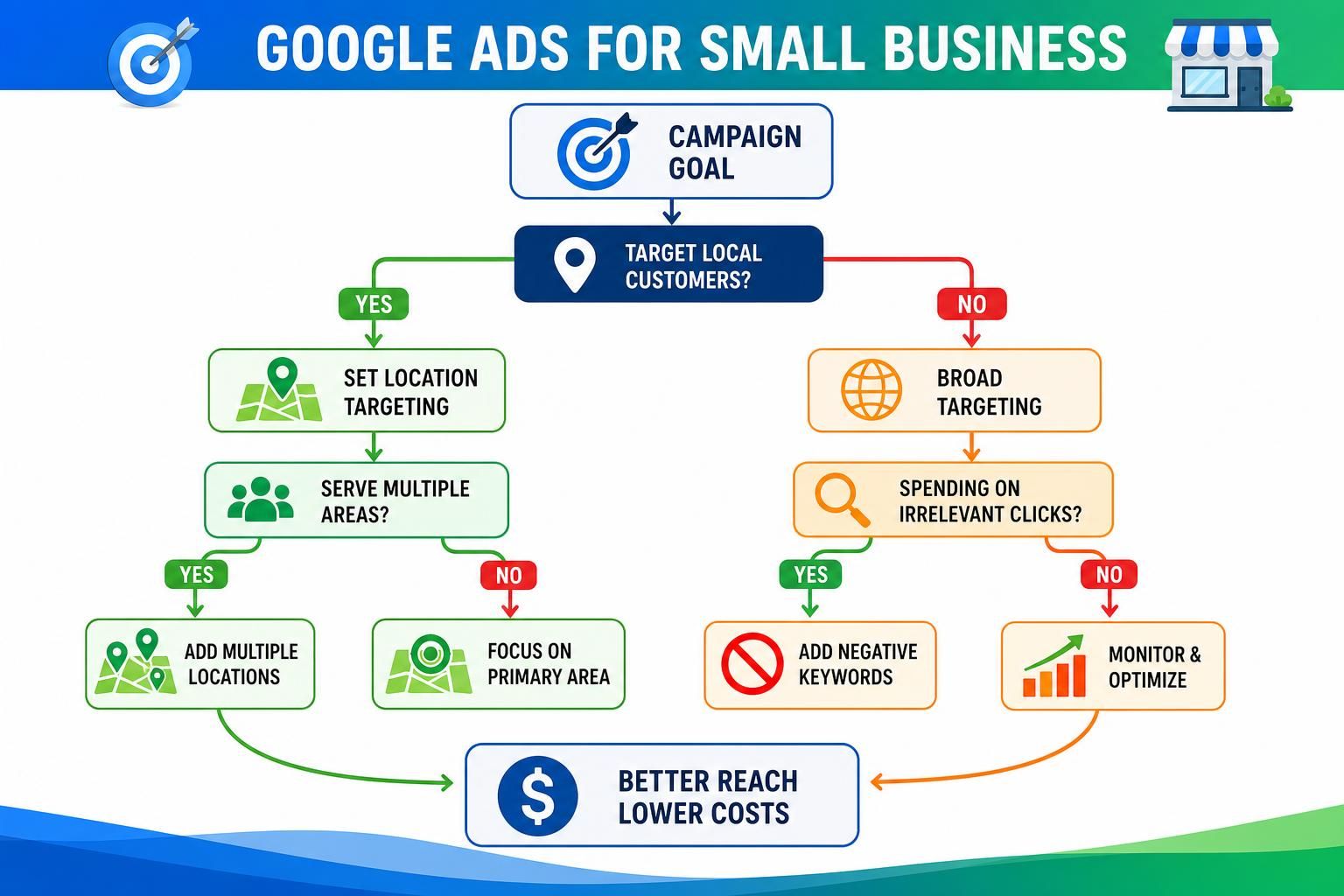
Negative keywords are words you tell Google not to show your ads for. Think of them like a filter at the door. If you sell paid HVAC repairs, you probably don’t want clicks from people searching “free AC repair course” or “DIY AC troubleshooting.”
Start with these fixes:
- Review search terms for irrelevant clicks.
- Add irrelevant words as negative keywords, such as “free,” “jobs,” “training,” “DIY,” “used,” or locations you don’t serve.
- Check your campaign location settings. Choose the cities, ZIP codes, or radius you can actually serve.
- Use “presence” targeting when possible, so ads focus on people in your area, not just people interested in it.
- Review wasted clicks weekly before raising the budget.
Small filters can protect a surprising amount of spend.
Measure Leads, Not Clicks
Clicks only tell you someone visited. Leads tell you whether that visit had a chance to become revenue.
A qualified lead is a person who matches your service, location, budget, and timing. For a plumber, that might be someone in your service area asking for an emergency repair. It’s not someone three states away asking for a free apprenticeship.
Check lead quality like this:
- Open your recent form submissions, calls, and appointment requests.
- Mark which leads were qualified and which were not.
- Compare those leads with the campaign, ad group, and keyword that produced them.
- Move budget toward keywords producing qualified leads, not just cheap clicks.
- Cut or fix anything producing volume without real opportunities.
So what does this mean in practice? A campaign with 300 clicks and 2 weak leads isn’t “almost working” just because the cost per click looks low. It may need negative keywords, a stronger landing page, or budget moved to higher-intent searches.
If you need help finding those leaks, a PPC Advertising service can review your tracking, keywords, landing pages, and lead quality before you spend more.
When to Pause and Rebuild

Pause a campaign when small fixes won’t answer the question: “Is this spend creating real opportunities?” Pausing doesn’t mean Google Ads failed. It means you need to stop the leak before raising the budget.
Rebuild instead of lightly optimizing when you see patterns like these:
- Conversion tracking is missing or unreliable, so you can’t tell which campaign, keyword, or ad produced a form, call, or appointment.
- Most searches are informational, like “how does…” or “DIY…,” while you need people asking for quotes, estimates, appointments, or consultations.
- Location reports show clicks from towns, counties, or states you don’t serve.
- You have many clicks but few calls, forms, or booked appointments.
FAQ
How Much Should a Small Business Spend on Google Ads?
Start with a budget you can measure, not one you hope will magically work. A typical starting budget varies by industry, location, and cost per click. Before increasing spend, make sure calls, forms, booked appointments, and qualified leads are tracked correctly.
Why Am I Getting Clicks but No Leads?
Clicks without leads usually point to a mismatch somewhere. Your keywords may be too broad, your ads may attract researchers, or your landing page may make people hunt for the phone number or form. Check the search terms, page experience, and conversion tracking before blaming the budget.
Should I Pause My Google Ads Campaign or Keep Optimizing It?
Pause the campaign if you can’t tell which keywords, ads, or campaigns are producing real leads. Also pause if most clicks come from outside your service area or from searches that don’t match your services. Small edits help only after the campaign structure is basically sound.
What Makes Google Ads for Small Business Work Better?
Google Ads for small business works better when each part has a job. Keywords should match buyer intent. Ads should set clear expectations. Landing pages should focus on one service. Tracking should show which clicks become calls, forms, appointments, or sales opportunities.
Conclusion
Don’t spend more until you know what your current budget is doing. Fix tracking first, then check keyword intent, negative keywords, location targeting, landing pages, and lead quality.
If the campaign is close, optimize it. If the data is unclear or the traffic is wrong, pause and rebuild before scaling. Need help finding the leaks? Start with a PPC Advertising service review of your tracking, keywords, landing pages, and budget allocation.