
Most small businesses don’t need a complicated website on day one. If you only need a homepage, pricing, contact form, and basic credibility, a Wix or Squarespace-style builder can be enough.
The real WordPress vs website builders decision is simple: do you want fast setup, or more control over search engine optimization (SEO — how Google understands your site), custom pages, integrations, and ownership? WordPress for small business makes more sense when the site needs to grow. Elementor, a visual WordPress builder, gives you drag-and-drop editing without giving up WordPress flexibility.
Quick Summary
- Choose a website builder if you need a simple, low-maintenance site quickly.
- Choose WordPress if you’ll build service pages, city pages, blog posts, or landing pages.
- Wix-style builders are easier at first, but WordPress gives you stronger control over structure, SEO, and portability.
- Elementor can make a WordPress website easier to edit for beginners.
- The best small business website platform depends on your growth plans, not just today’s budget.
The Real Decision
The real choice isn’t “WordPress vs website builders” as a popularity contest. It’s whether you want the easiest launch now or more control as your marketing grows.
Think of a website builder like renting a ready-furnished office. You can move in fast, and most things are handled for you. WordPress is more like owning a flexible space. It takes more setup, but you can change the layout, add rooms, choose your tools, and move things around later.
| Need | Better fit | Why it matters |
|---|---|---|
| Launch a simple site this week | Website builder | Faster setup, fewer decisions |
| Create many service or city pages | WordPress | Stronger page structure and SEO control |
| Edit visually without starting from scratch | WordPress with Elementor | Drag-and-drop editing plus WordPress flexibility |
| Avoid future platform limits | WordPress | More control over hosting, plugins, exports, and custom features |
Use this table as a planning guide, then verify the exact scope, deliverables, and platform terms before you commit.
So what does this mean in practice? Start by listing what your site needs in the next 12 months, not just this month.
- Write down the pages you need now.
- Add the pages you’ll likely need later.
- Note whether SEO, lead tracking, booking, or custom landing pages matter.
- Choose the platform that fits the larger plan, not only the fastest launch.
When a Website Builder is Enough
A website builder is enough when your site’s job is simple: explain who you are, show basic credibility, and make it easy for someone to contact you.
Think of Wix or Squarespace like renting a furnished office. You can move in fast, everything mostly works, and you don’t need to think about the wiring.
- A homepage, about page, contact form, and pricing overview
- A small portfolio or gallery
- One location and a small set of services
- Basic appointment booking
- A launch you can manage yourself without touching hosting or plugins
- Simple edits like swapping photos, changing text, or adding testimonials
For example, a new solo consultant, photographer, tutor, or mobile notary may not need WordPress yet. If your site won’t rely heavily on SEO (search engine optimization — how Google finds your site), custom landing pages, or advanced lead tracking, a builder can be the practical choice.
When WordPress Makes More Sense
WordPress makes more sense when your website is part of your marketing engine, not just an online brochure. WordPress is a website platform you can host, customize, and expand with more control than most all-in-one builders.
Choose WordPress if you’ll need:
- Blog posts, guides, landing pages, or campaign-specific pages over time
- More control over page structure, menus, internal links, redirects, and metadata
- Custom forms, lead tracking, booking tools, customer relationship management connections, or other integrations
- A design that may need custom layouts instead of fixed templates
Elementor can help here. It’s a visual page builder for WordPress, so you can edit pages with drag-and-drop tools while keeping WordPress’s flexibility.
The tradeoff? WordPress needs better setup, hosting, updates, and plugin management. But if growth matters, it’s often the stronger long-term foundation.
SEO and Ownership Considerations
Good search engine optimization (how Google understands and ranks your site) doesn’t come from the platform alone. It comes from clear pages, useful content, fast loading, good structure, and consistent updates.
Wix, Squarespace, and similar builders can handle basic SEO well enough for simple sites. You can usually edit page titles, descriptions, headings, image text, and URLs. For a small brochure site, that may be plenty.
WordPress gives you more control when SEO gets deeper. You can build separate service pages, connect them with internal links, add schema markup, manage redirects, customize metadata, and organize blog content more precisely. Think of it like moving from a furnished apartment to a house you can renovate.
Ownership matters too. With builders, your site lives inside their system. You can usually keep your content, but moving the full design and structure elsewhere can be difficult. With WordPress, you control the site files, database, hosting choice, and future rebuild options.
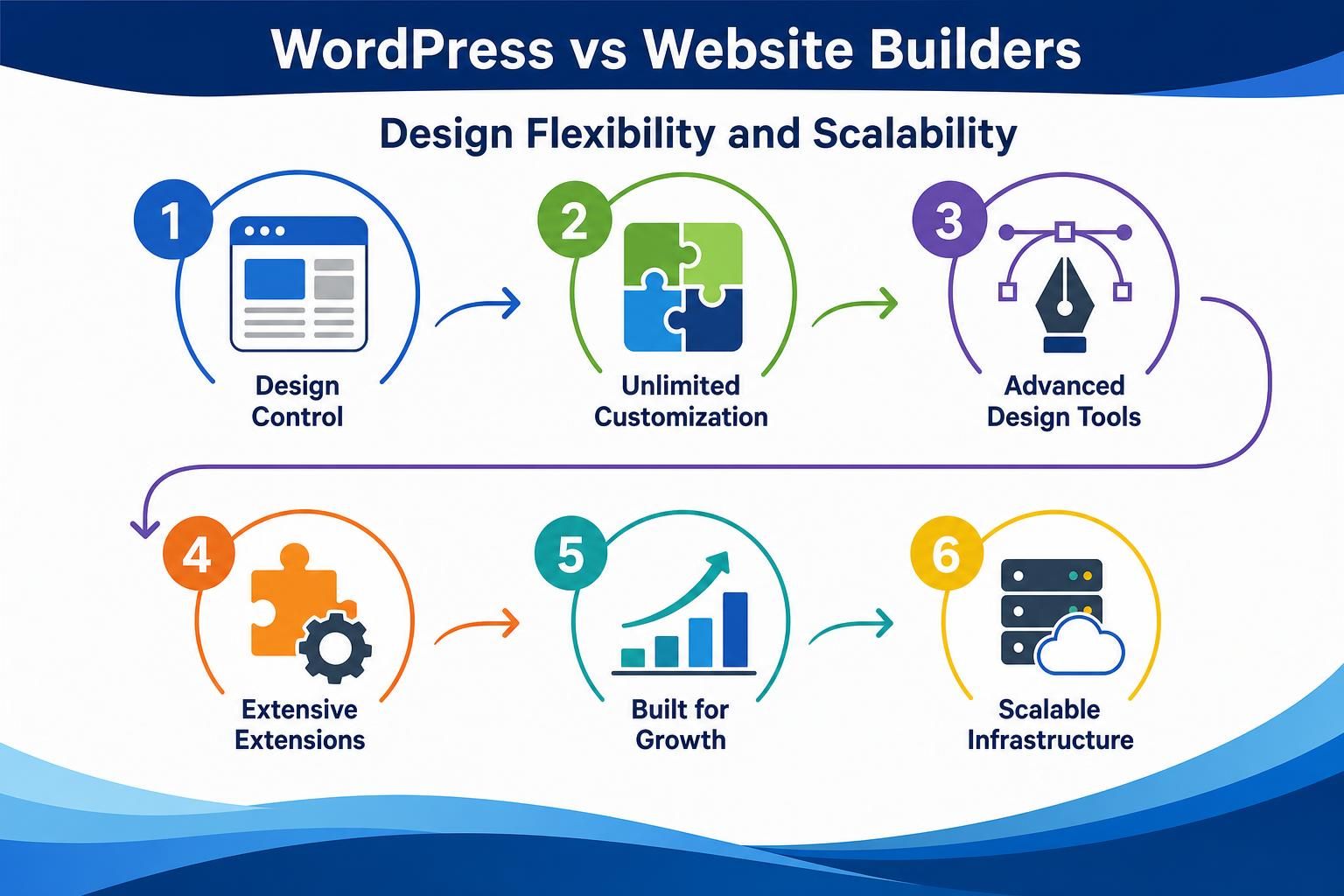
Design Flexibility and Scalability
Design flexibility is where the gap starts to show. Wix and Squarespace-style builders are great when you like a template and only need light changes: swap photos, edit text, adjust colors, add a booking button. That’s fast and low-stress.
WordPress gives you more room to shape the site around your business instead of shaping your business around the template. With Elementor, a popular visual page builder for WordPress, you can still drag and drop sections, but you’re working inside a system that can grow.
Use this simple test:
- Choose a builder if you need 5 to 8 standard pages and don’t expect the structure to change much.
- Choose WordPress if you may need lead tracking, booking tools, customer portals, or more advanced integrations later.
Scalability isn’t about being big today. It’s about not getting boxed in tomorrow.
Maintenance and Cost
Cost isn’t just the monthly platform fee. Website builders usually bundle hosting, security, templates, support, and updates into one subscription, so they are simpler at launch. WordPress gives more control, but you’ll usually manage hosting, a theme or builder such as Elementor, plugins, updates, backups, and occasional support.
Treat prices you collect as general planning ranges based on common buyer scopes, provider packages, and typical deliverables—not guaranteed quotes. Actual quotes vary by market, competition, provider, scope, site condition, location count, and deliverables, so verify current quotes and renewal costs before purchase.
| Budget check | Lower-budget builder plan | Higher-control WordPress plan |
|---|---|---|
| Typical scope | 5-page template site, contact form, basic SEO fields | Custom service pages, Elementor layouts, redirects, tracking, integrations |
| Quote checklist | Monthly fee, renewal price, form limits, booking/email tools, export limits | Hosting, premium plugins, maintenance, backups, support response time |
| ROI test | If one extra job is worth $400 and the site may add 2 jobs/month, compare $800/month potential value with the recurring cost. | If added pages may bring 5 extra $400 jobs/month, compare $2,000/month potential value with setup plus maintenance. |
Builders are often cheaper and easier at launch. WordPress can cost more to set up well, but it may save money later if it prevents a rebuild or supports SEO pages, lead tracking, and integrations you’ll need anyway.
Recommendation by Business Type

Use your next 12–24 months as the deciding factor, not just launch week.
- Choose a website builder if you’re a new solo business that needs a homepage, contact form, pricing overview, testimonials, and basic credibility. Think photographer, consultant, tutor, or one-location appointment business.
- Choose WordPress if you’re a local service business that needs separate pages for each service and city, like “emergency plumber in Plano” and “water heater repair in Frisco.”
- Choose WordPress if you’ll publish blog posts, guides, landing pages, or campaign pages over time. Elementor can make that easier without giving up WordPress control.
- Choose WordPress if you may need lead tracking, booking tools, custom forms, or design layouts a builder can’t easily handle.
If you’re comparing WordPress vs Wix because you want easy now but don’t want a rebuild in a year, decide based on the pages, tracking, and integrations you expect within the next year.
FAQ
Is WordPress Better Than Wix or Squarespace for SEO?
WordPress usually gives you more control over SEO details, like service page structure, internal links, redirects, metadata, and schema, which is extra information that helps search engines understand a page. But it won’t rank better automatically. You still need useful content, fast pages, clear structure, and a good setup.
Should I Start With a Website Builder and Move to WordPress Later?
You can, but moving later often means rebuilding pages, redesigning layouts, and fixing old links. If you only need a simple site, that’s fine. If you already know you’ll need city pages, blog content, lead tracking, or custom landing pages, starting with WordPress can save hassle.
Is Elementor Good for Small Business Websites?
Yes, Elementor can be a helpful middle path. It gives you drag-and-drop editing, so WordPress feels less technical, while still keeping the flexibility of WordPress. You don’t need Elementor for every site, but it’s useful when you want custom layouts without asking a developer for every small change.
Which Option is Cheaper for a Small Business?
A website builder can be cheaper and simpler at launch because hosting, templates, and basic tools are bundled together. WordPress can cost more to set up and maintain, especially with hosting, plugins, and support. But if it avoids a rebuild later, it may be the better long-term value.
Conclusion
The best choice in WordPress vs website builders depends on what your site needs to do next, not just what feels easiest today. Choose a builder if you need a simple, low-maintenance site with a homepage, contact form, pricing overview, and basic credibility content. Choose WordPress if SEO pages, custom layouts, blog content, integrations, ownership, and future growth matter.
Wix and Squarespace-style builders are valid tools for simple websites. But WordPress, especially with Elementor, is stronger when your website needs to become a real marketing asset. If you’re unsure which route fits your business, get a Web Development review before you build, migrate, or lock yourself into the wrong setup.